Government · FAA / LAANC
Revolutionizing Drone Flight Approvals
Designing to Transform Air Traffic Management

Background
The FAA needed a way to support drone integration into national airspace. Previously, drone pilots mailed paper flight requests to Air Traffic Managers (ATMs), with wait times ranging from months to over a year. ATMs were overwhelmed, and the system wasn’t sustainable.
To address this, the FAA launched LAANC (Low Altitude Authorization and Notification Capability)—a private API that enables FAA-approved UAS Service Suppliers (USS) to request and manage drone flight paths. My role was to design the internal LAANC application that allowed ATMs to review and act on those flight requests. Read More Here:
- https://www.faa.gov/uas/programs_partnerships/data_exchange/
- https://www.gdit.com/perspectives/case-studies/network-operations-center-increases-reliability-faa/
The data presented in this study has been changed and portions of the user interface have been updated to comply with the project's non-disclosure agreement.
My Role
Lead UX Designer from discovery to delivery. I owned research, personas, journey mapping, information architecture, interaction design, prototyping, usability testing, accessibility alignment, and design handoff. I also partnered on requirements and prioritization.
Project Goals
Main challenge ATMs were overwhelmed by manual, paper-based requests. Pilots often waited months to a year for decisions. We needed a digital tool that felt familiar, was easy to navigate, and supported fast, accurate decisions.
Measure of success Faster approvals, reduced ATM effort, improved findability of requests, compliance with FAA branding and WCAG 2.0 AA, and mobile responsiveness.
Starting hypothesis If we digitize the existing ATM workflow, preserve familiar mental models, and present map and request details side by side, ATMs will make decisions faster with fewer errors.
Design Process
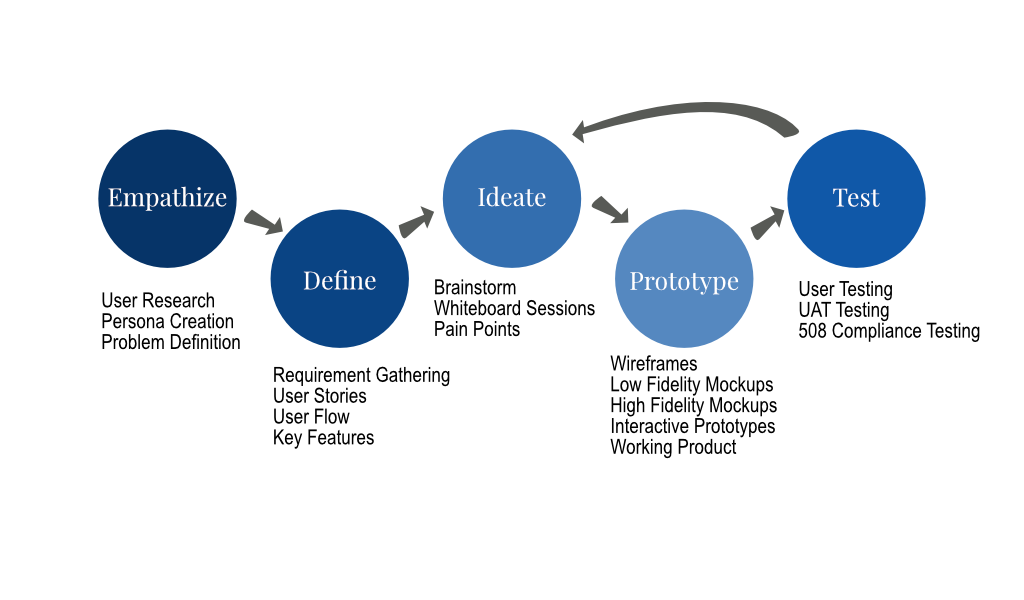
Discovery
Personas & Journey Mapping
At the start of the project, I researched the current process, and how the end users currently perform their day-to-day activities in order to develop an understanding of how the product could be useful. I researched the role of an ATM and was also able to have an open line of communication with them to ask questions about how they envisioned using the application.
- Interviewed ATMs to understand context, constraints, and daily flow.
- Shadowed key steps in the legacy process to capture pain points.
- Documented data needs and decision triggers.
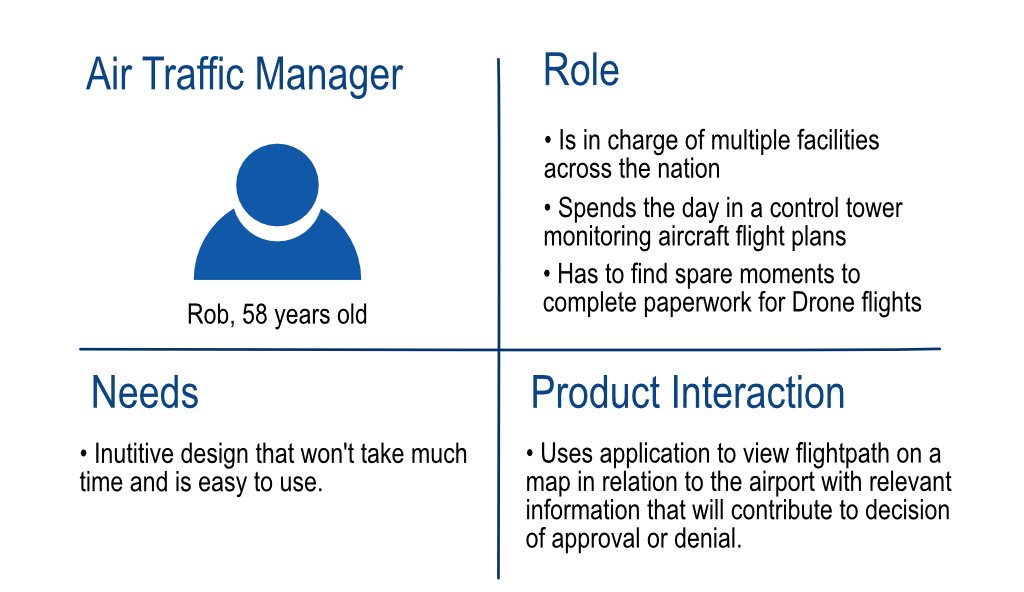
Persona goals drove the split layout, quick filters, and prominent status cues. Accessibility and keyboard support were first-class needs, not afterthoughts.
Once I had a good understanding of what the existing process was, it was time to start researching how best to turn this into a digital solution.
Competitive analysis:
- Studied FAA internal patterns for to ensure familiarity and trust.
- Referenced wayfinding patterns in Google Maps, Waze, and GeoJSON.io to guide map interactions and filtering.
Define
Brainstorming and working sessions
- Whiteboard sessions with architects and BAs to explore potential mapping platform, understand it’s capabilities, and sketch layout ideas.
- Prioritized core flows for the first release, moved print and PDF export to a later phase.
Key Functionality
- Needed to be integrated behind the existing login for FAA.
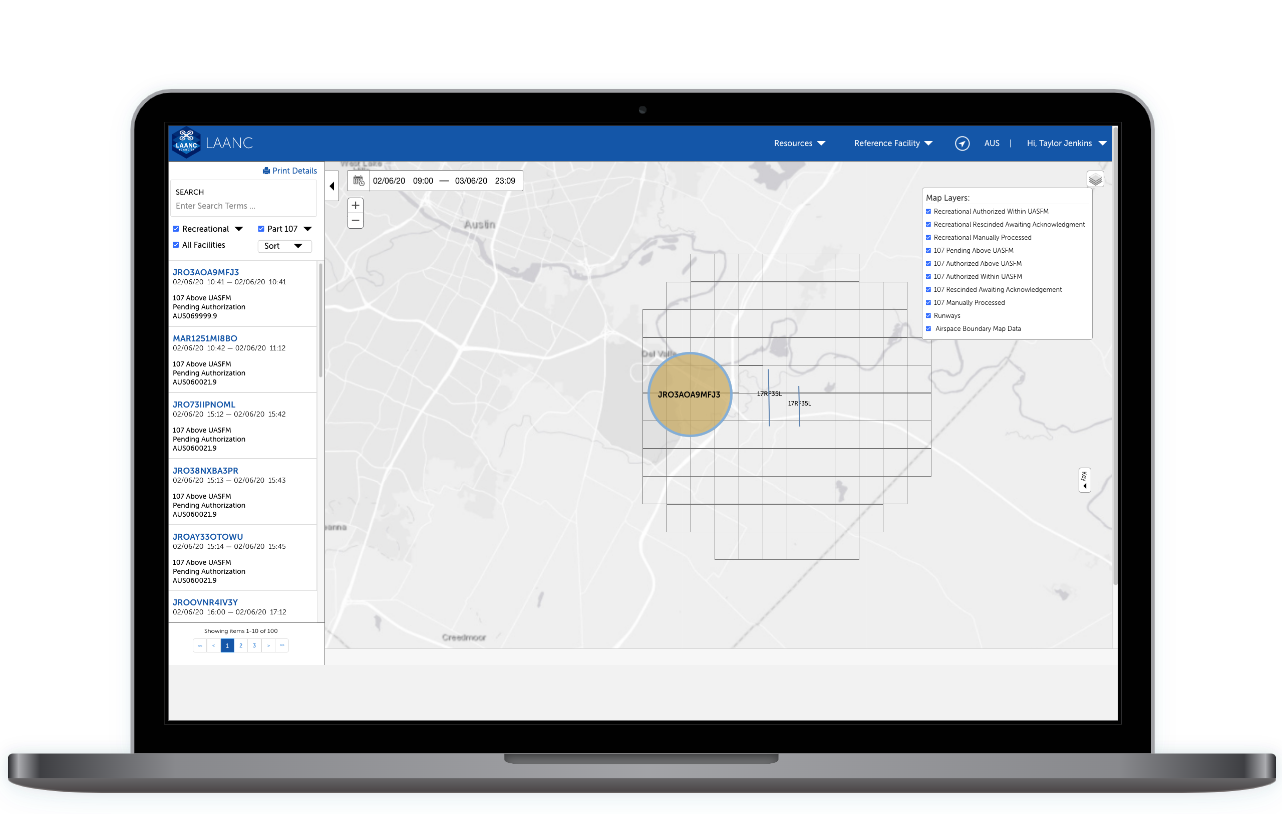
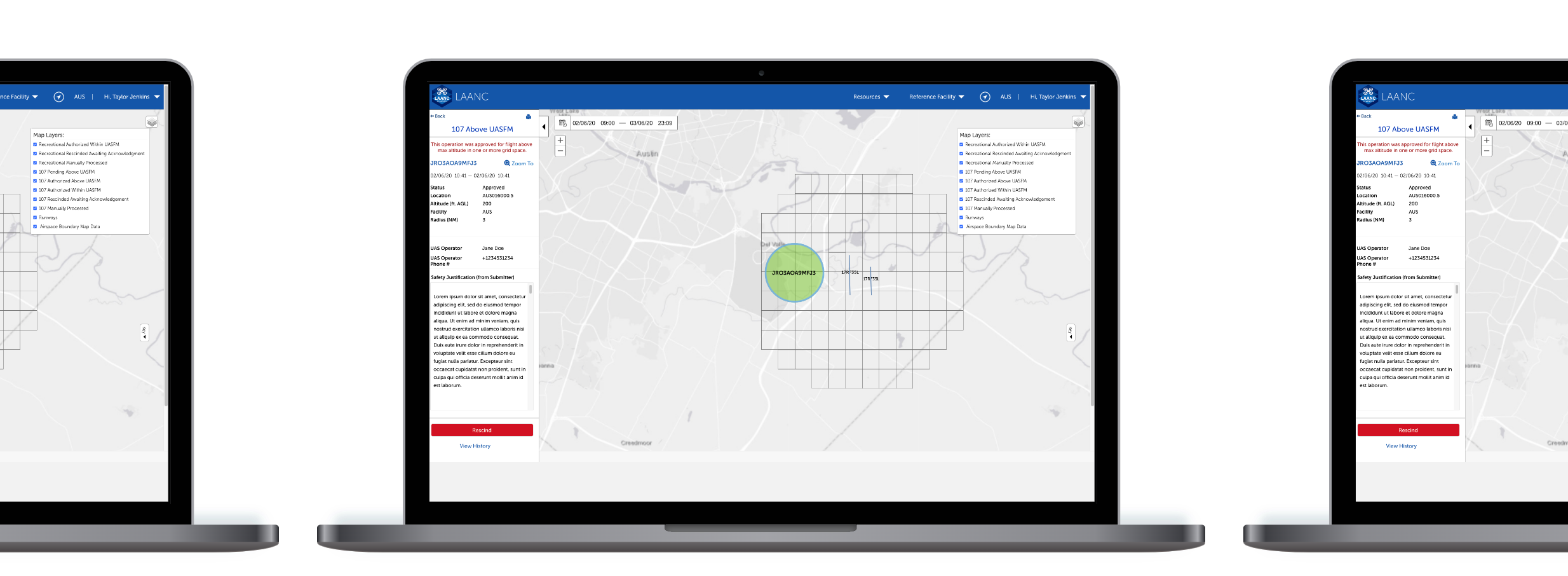
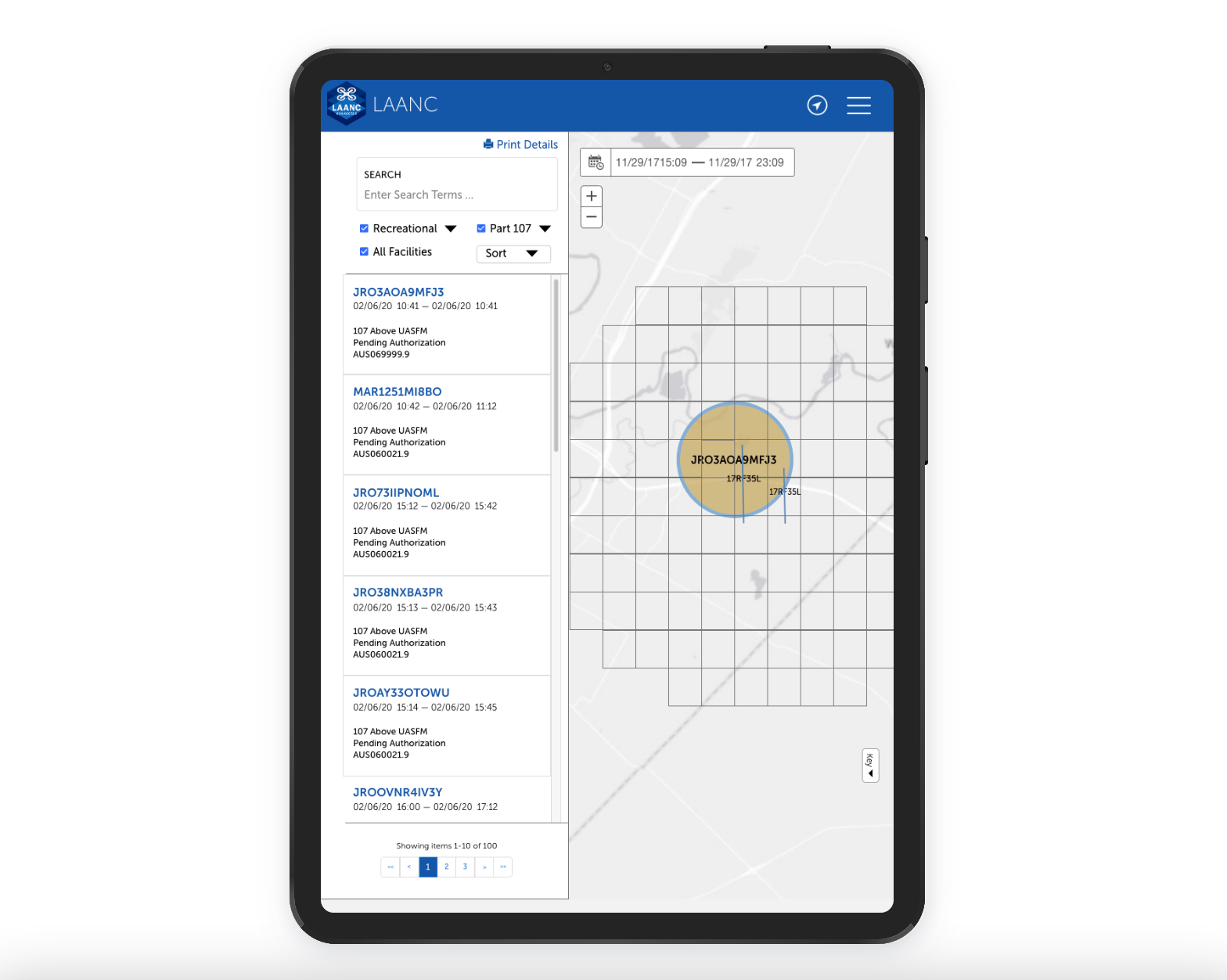
- Ability to view a map of operation requests, see relevant request information, and respond to the request.
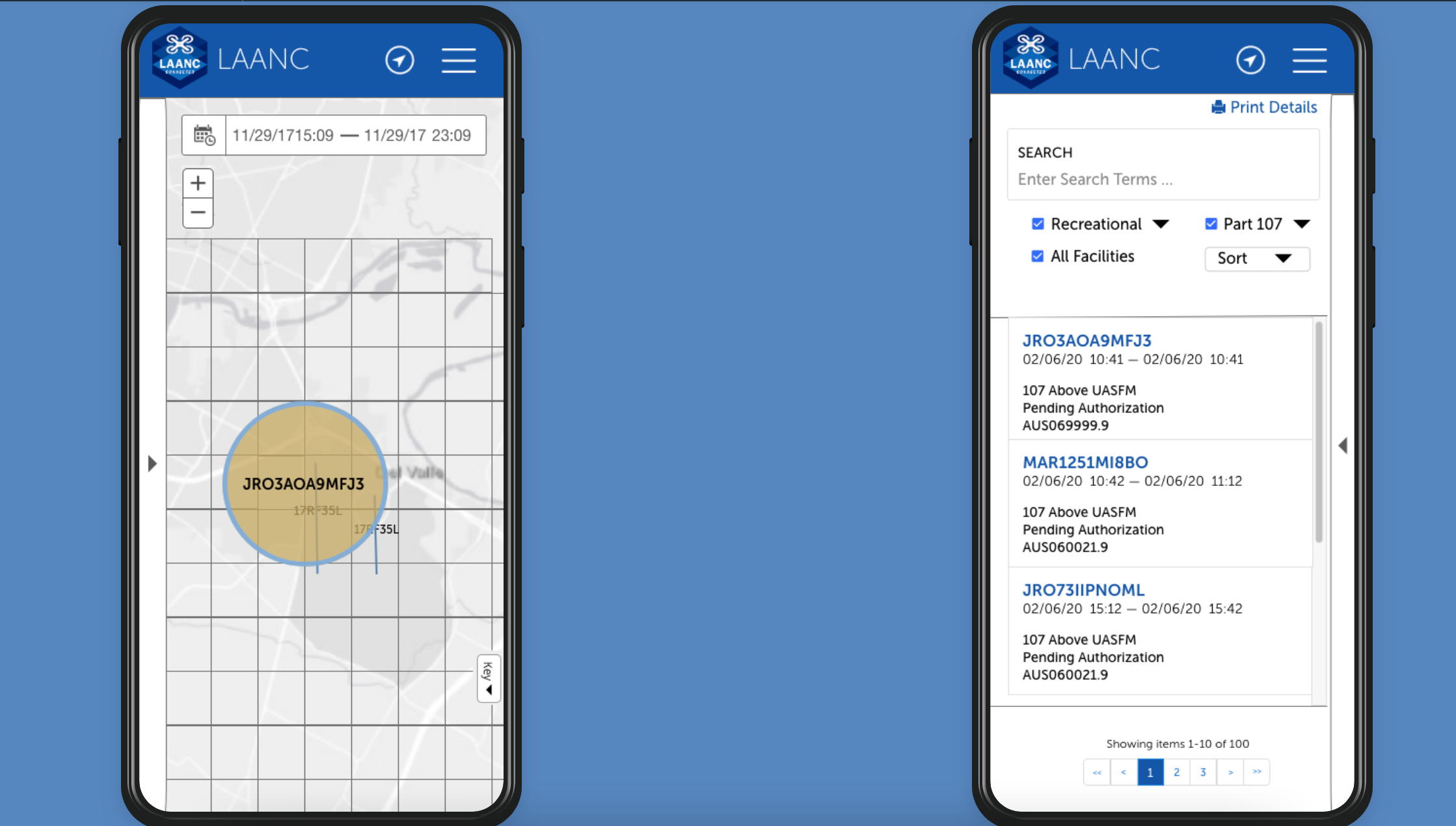
- Ability to Search through operations.
- Ability to filter operations based on the type of request and location data.
- Functionality that zooms to operation on map.
- The application needed to adhere to FAA Branding Guidelines.
- Adhered to WCAG2 Guidelines and be 508 Compliant.
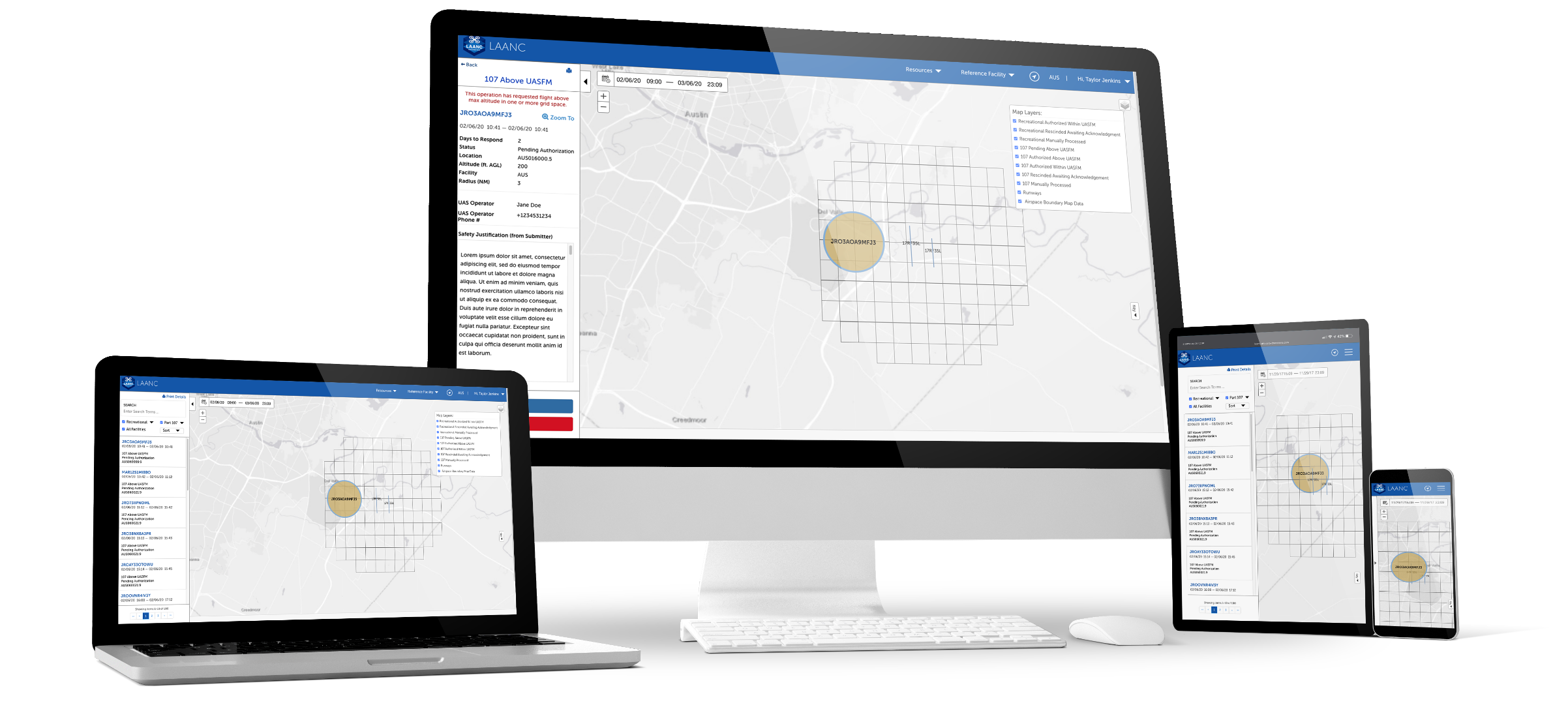
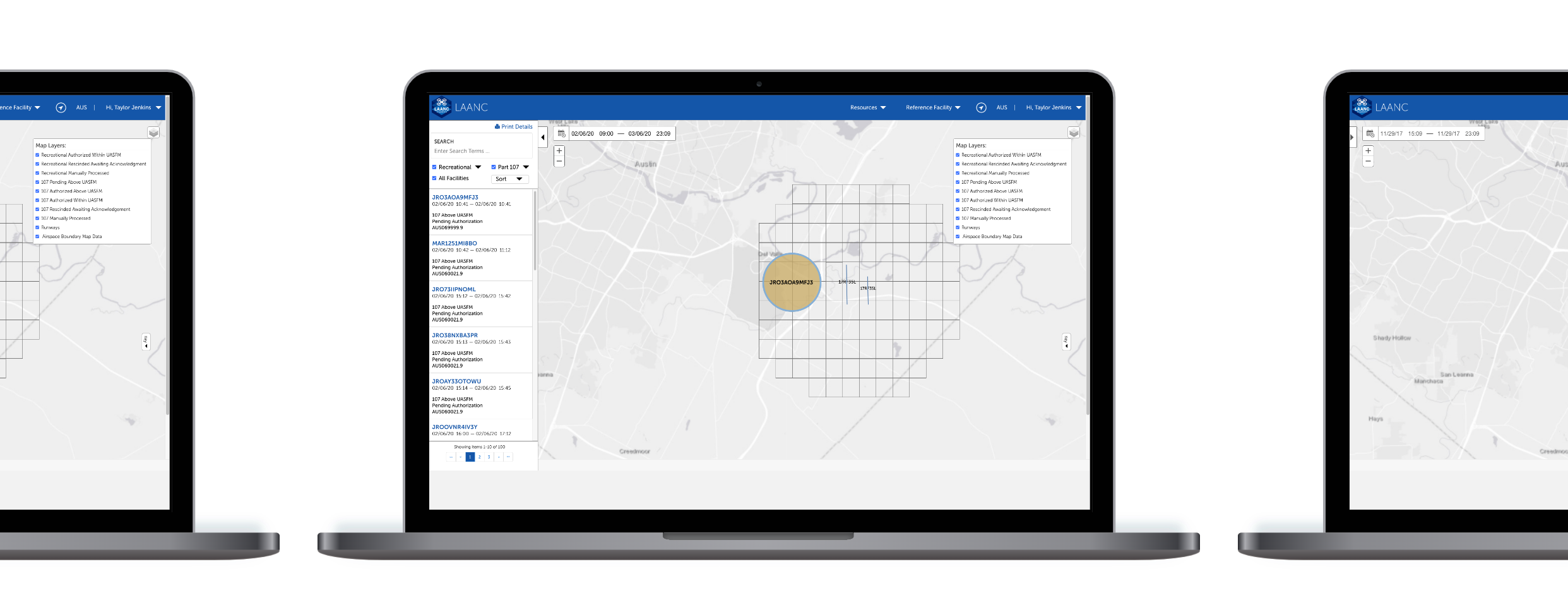
- The application was to be mobile responsive and accessible on a cell phone, tablet, and laptop.
Stretch Goals
- The Users would like the ability to print a list of all operations to a dot matrix printer.
- They would like the ability to export the operation and operation details to a PDF file that can be printed or saved.
- Users want to be able to view all of the information and view it on the map simultaneously.
- Users will need to be able to update preferences for multiple facilities and facility groups.
Ideate and Prototype
Once the tech stack, requirements, and workflows were defined, I began researching the different aspects of the available interface and how we could use them to achieve our goals.
I started with hand-drawn wireframes / sketches of the layout. Once, there was buy-in I worked on building interactive Adobe XD prototypes to showcase end-to-end flows and aide in stakeholder reviews.
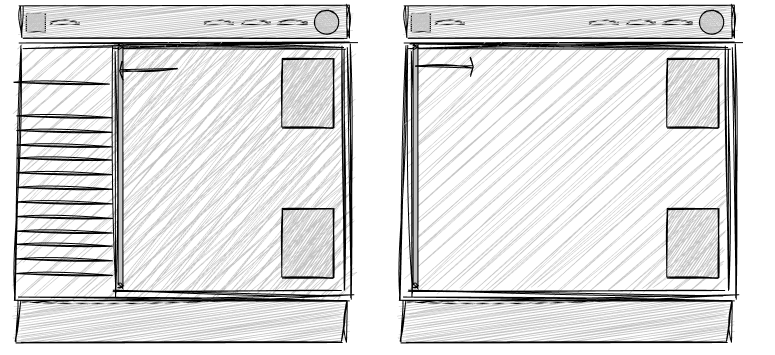
Ideate
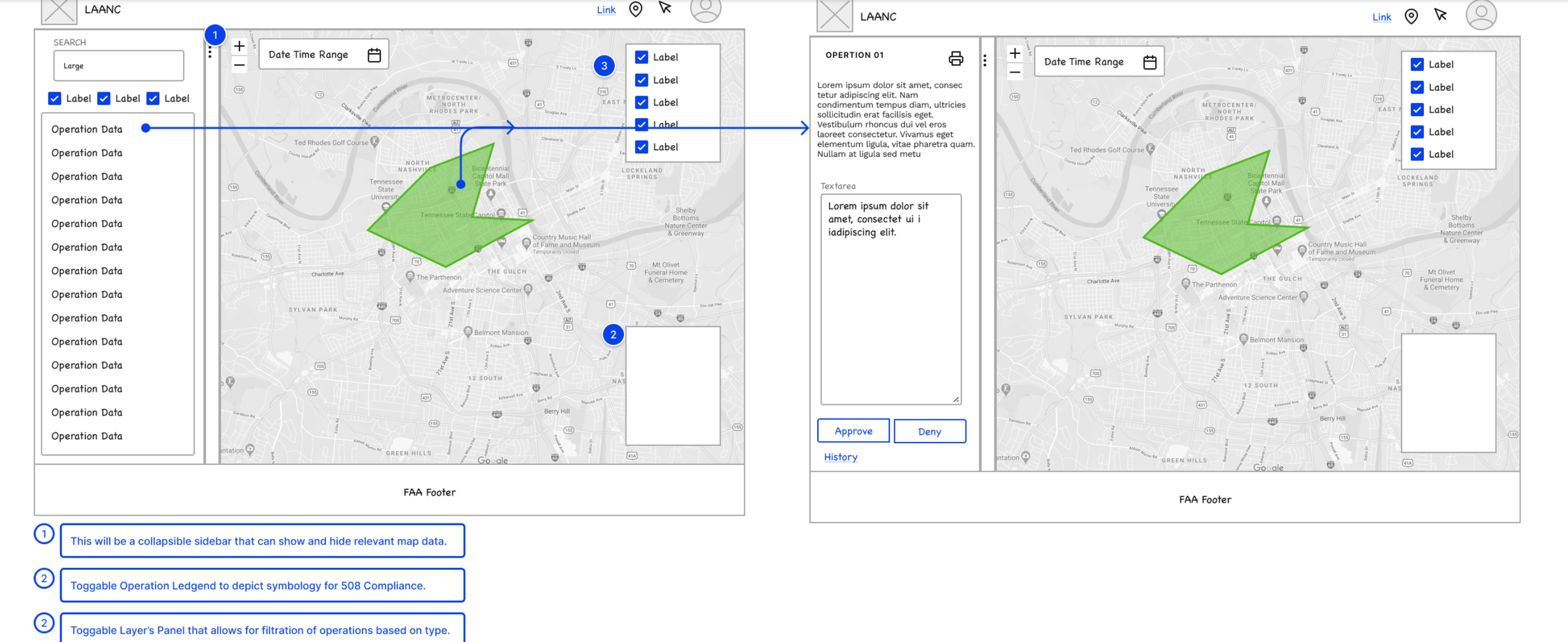
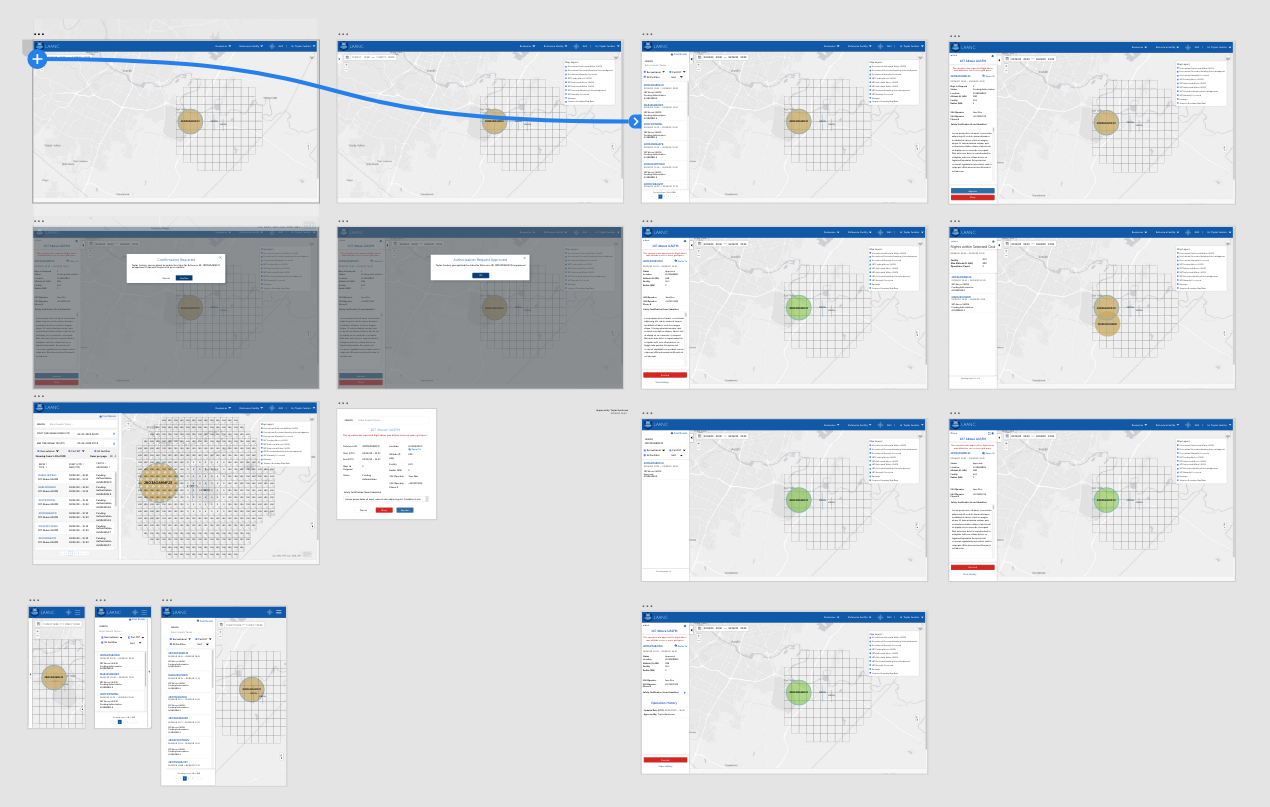
Did we hit the mark?
Iterative tests with devs, analysts, and UAT testers.
Before the development of the product began, I did a testing round in order to reveal possible usability problems via the interactive Adobe XD prototype. This testing was done to identify pain points within the user flow and the overall design of the application. Testing was done by the development team, as well as architects, and business analysts. It then moved on to be tested by UAT testers, and 508 Compliance experts.
508 experts reviewed contrast, focus order, and keyboard navigation.
Key finding: the details modal covered too much of the map.
Change: moved details into a persistent sidebar so map and data are visible together.
Visual design and accessibility
Successfully
- Applied FAA brand guidelines.
- Met WCAG 2.0 AA for color, type scale, focus, and roles.
- Built a small component library for consistency and speed.
Development collaboration
- Worked in agile sprints.
- Paired with engineers to validate feasibility and modularity.
- Provided redlines, specs, and states.
- Helped QA verify key interactions and accessibility.
The outcome
- Approvals moved from a slow paper process to near real-time decisions.
- ATMs adopted the tool quickly due to familiar patterns and clear navigation.
- Interface met FAA branding and WCAG 2.0 AA requirements and was responsive across devices.
What I learned
- Keep the map visible while changing context to reduce cognitive load.
- Build with accessibility from the start.
- Step back for creative rest when stuck.
- Cross-functional partnership accelerates good decisions.
What I would improve next
- Add printable summaries and PDF export.
- Expand analytics for richer operational insights.
- Continue iterative testing with live traffic patterns.