Enterprise · symplr
Streamlining Device Management
Redesigning the Device Update Manager

Background
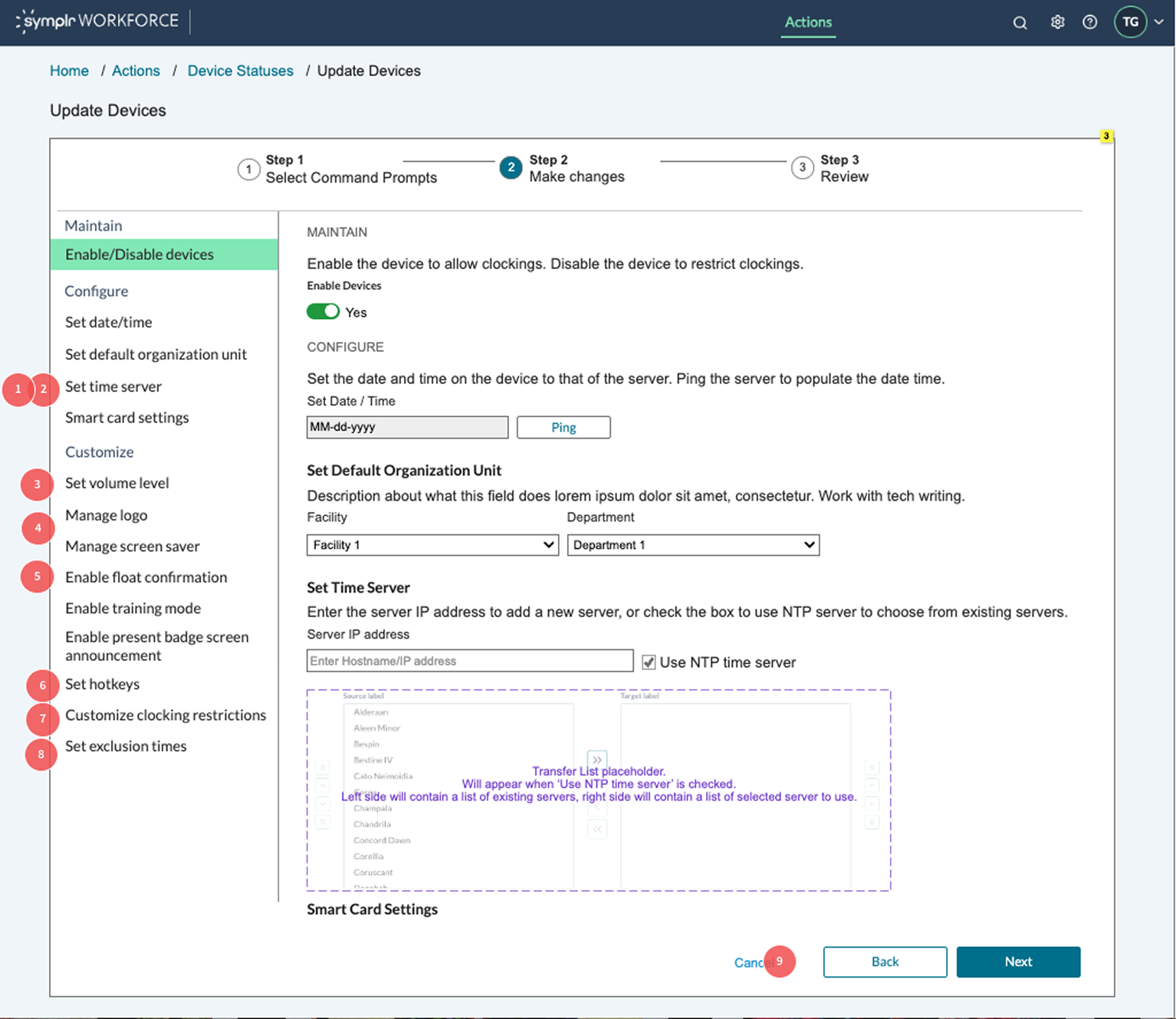
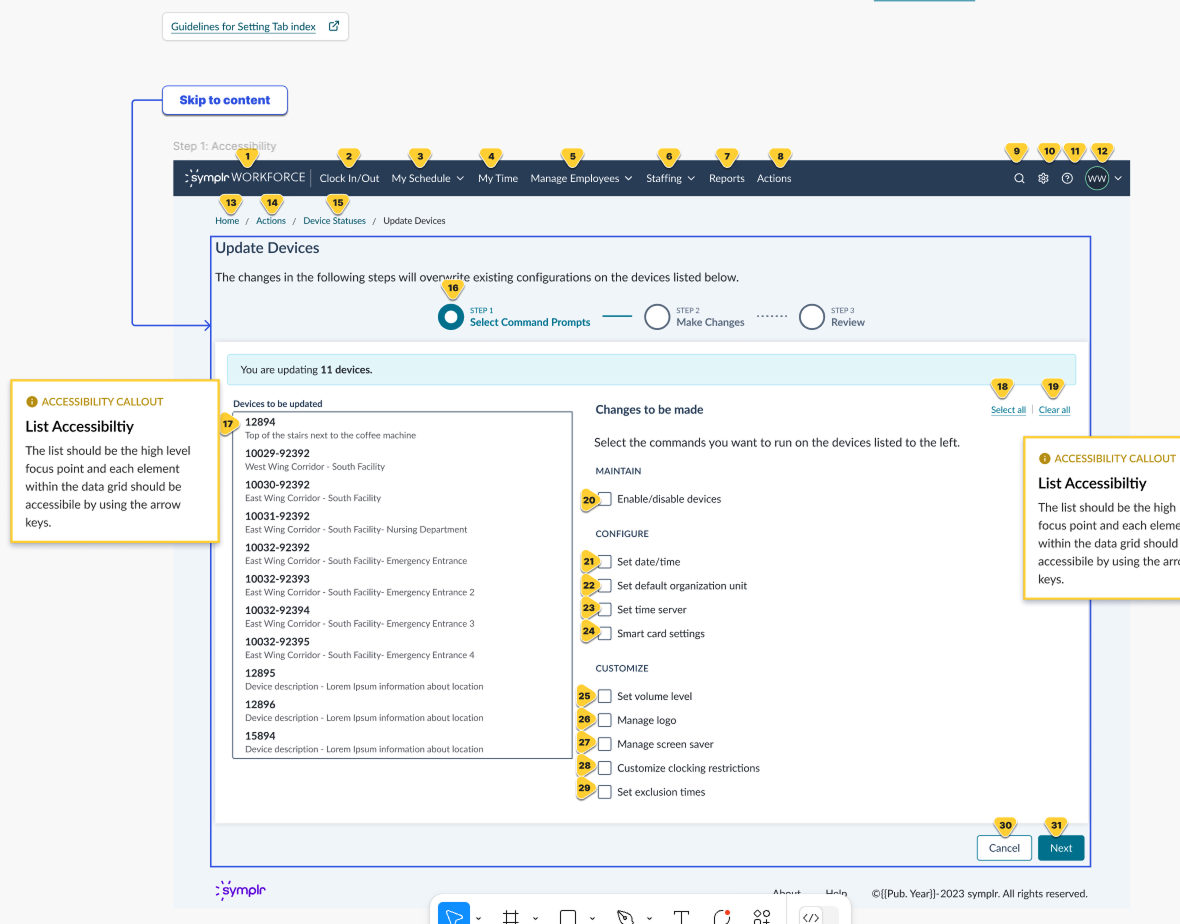
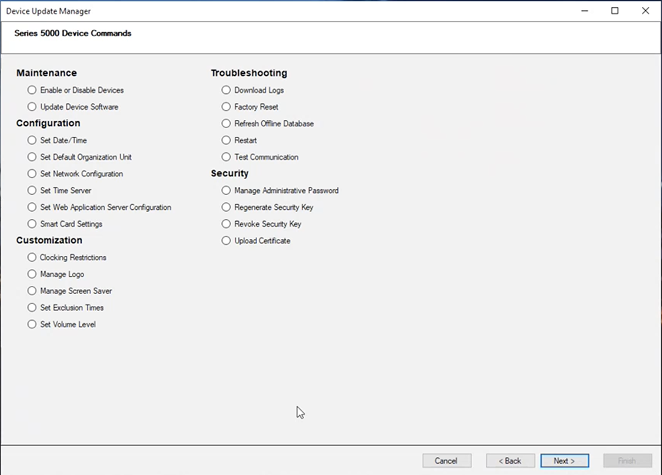
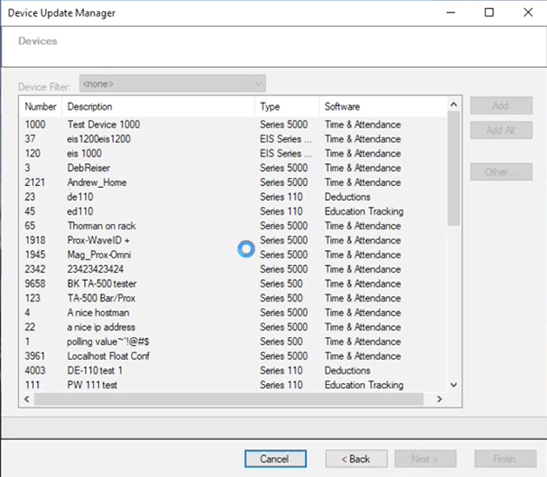
The Device Update Manager (DUM) was a wizard-style application that guided administrators through adding, deleting, and modifying device or beacon records. These records are critical for ensuring Time and Attendance systems communicate properly with each device.
The data presented in this study has been changed and portions of the user interface have been updated to comply with the business’ confidentiality agreement.
Our challenge
While the workflow was essential to operations, we lacked certainty about user acceptance of the new design and whether it truly aligned with administrator expectations. We also had little visibility into whether users engaged with on-screen information during device updates or how well the workflow supported bulk vs. individual device actions.
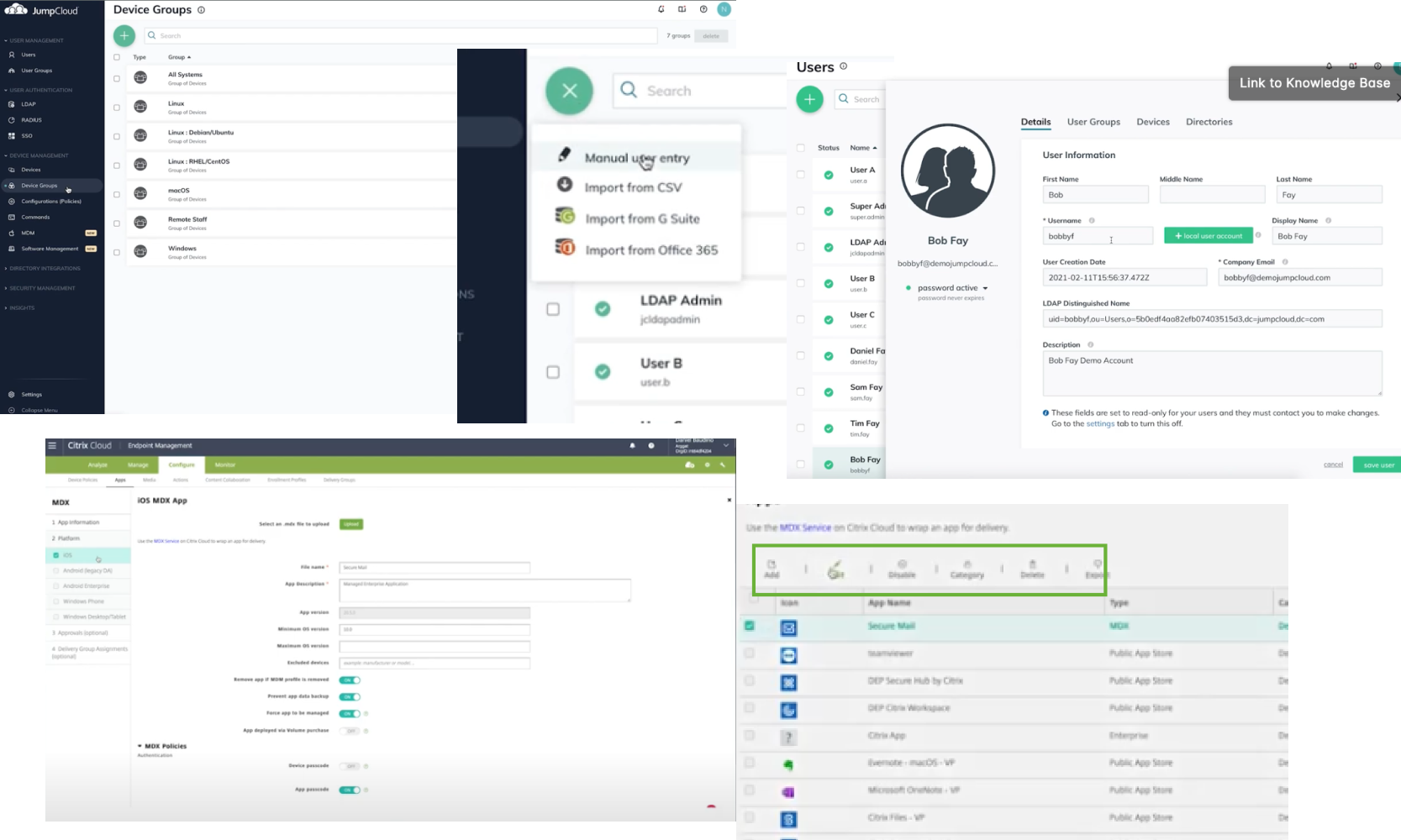
To guide this redesign, I analyzed adjacent Mobile Device Management (MDM) solutions—tools used across enterprises to manage mobile devices, servers, and desktops. Though the contexts differed, the parallels provided valuable insight into managing large fleets of timeclocks in a corporate environment.
My Role and Impact
As the lead UX designer on this project, I:
- Drove clarity in ambiguity: Took initiative when product requirements were undefined and partners were unavailable.
- Grounded design in evidence: Conducted research, heuristic evaluation, and competitive analysis of MDM (Mobile Device Management) solutions.
- Structured collaboration: Designed and facilitated a workshop to align stakeholders and generate actionable ideas.
- Led the design process end-to-end: From sketches and workflows through wireframes and usability testing.
- Exceeded expectations: Delivered designs and insights that impressed leadership and provided a scalable framework for enterprise device management.
Understand Phase
To establish a strong foundation, I focused on gaining clarity around user needs and workflows:
- Reviewed the user guide to understand existing functionality.
- Created a site map to visualize system structure.
- Conducted a heuristic evaluation to identify usability gaps.
- Researched adjacent Mobile Device Management (MDM) solutions to borrow proven patterns.
- Gathered requirements from stakeholders despite limited availability.
Design Phase
With insights in place, I moved into design execution:
- Created sketches to visualize concepts quickly.
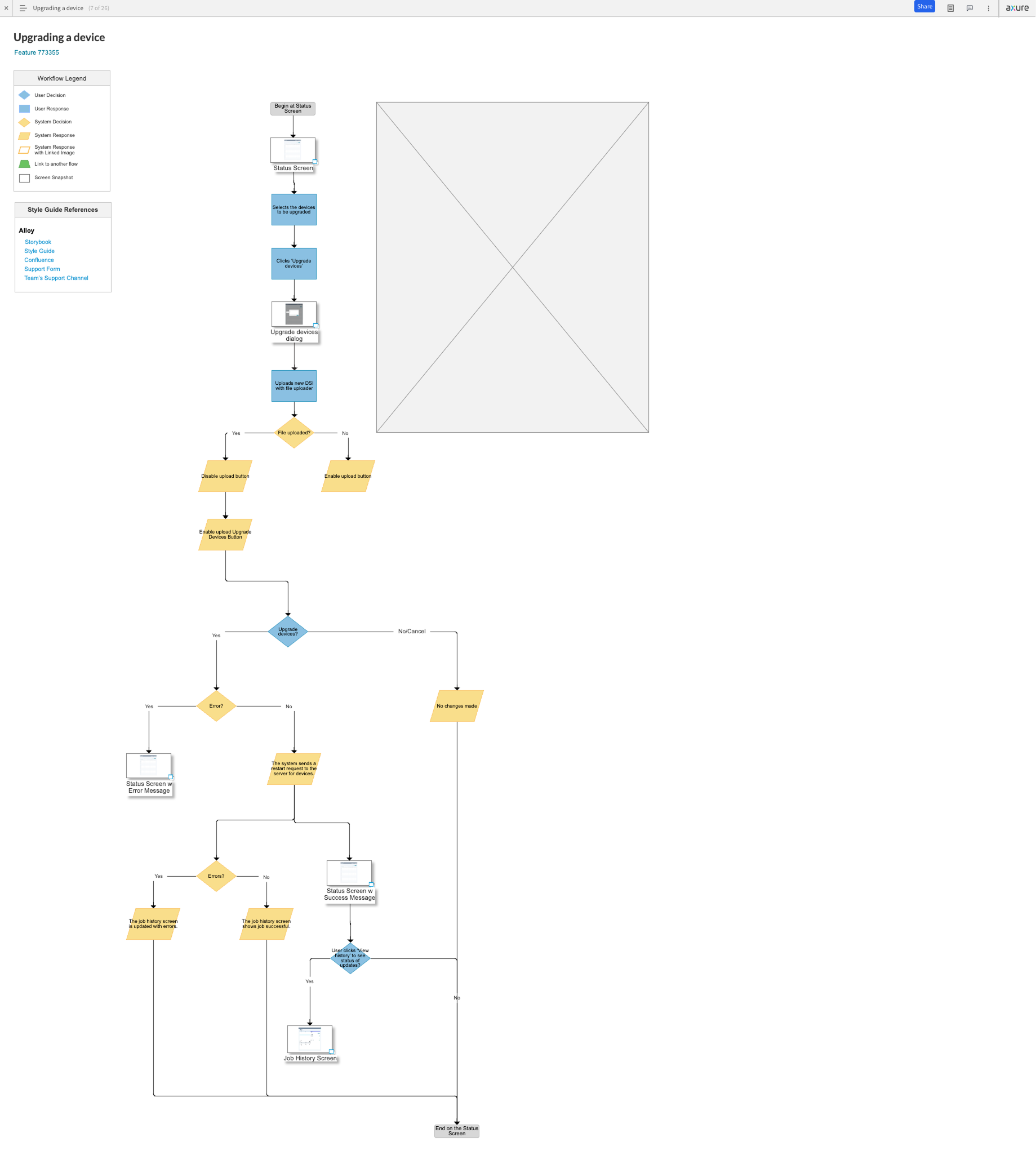
- Built workflows to define how administrators would interact with devices at bulk and individual levels.
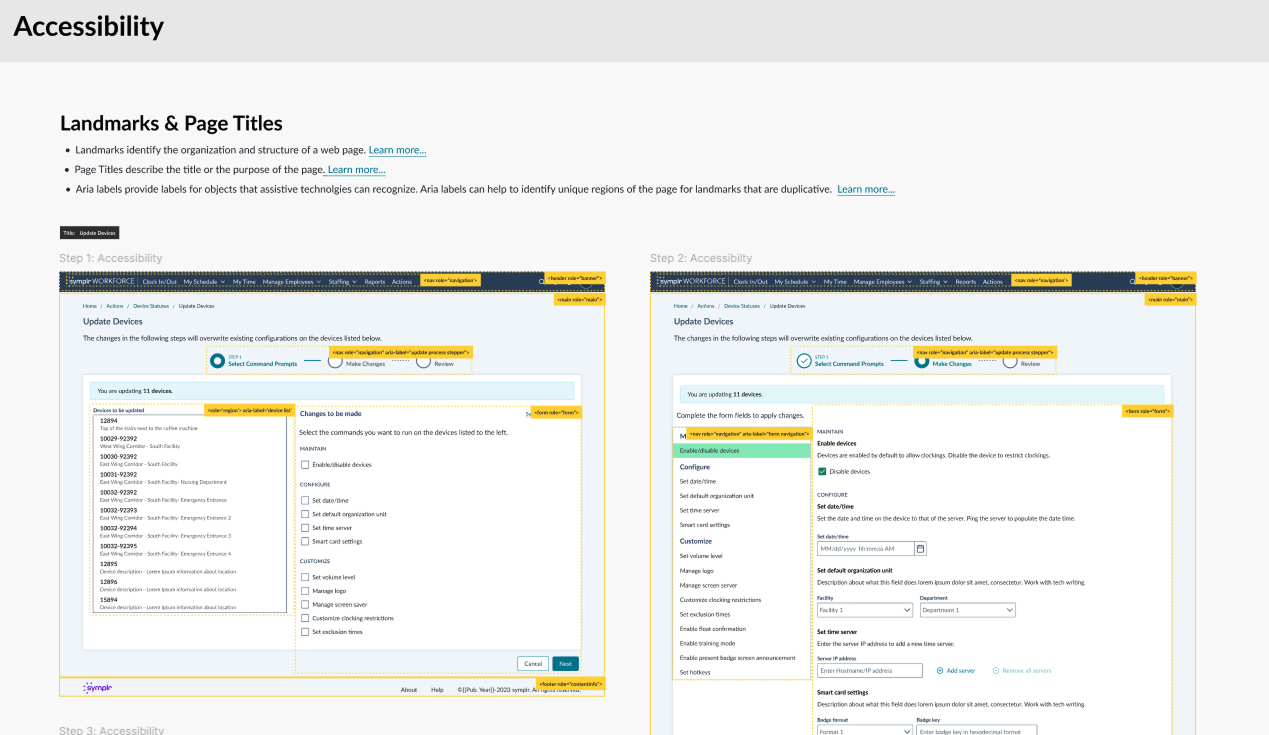
- Developed wireframes and low-fidelity prototypes for user testing.
Research activities included:
- 5-Second Test: To measure first impressions of the devices screen.
- Design Concept Testing: Using wireframes to explore perceptions of terminology, workflow alignment, and usability
Things to Question
During design, I actively raised questions to guide alignment with both engineering and user needs:
- What defines a “command” from an engineering perspective?
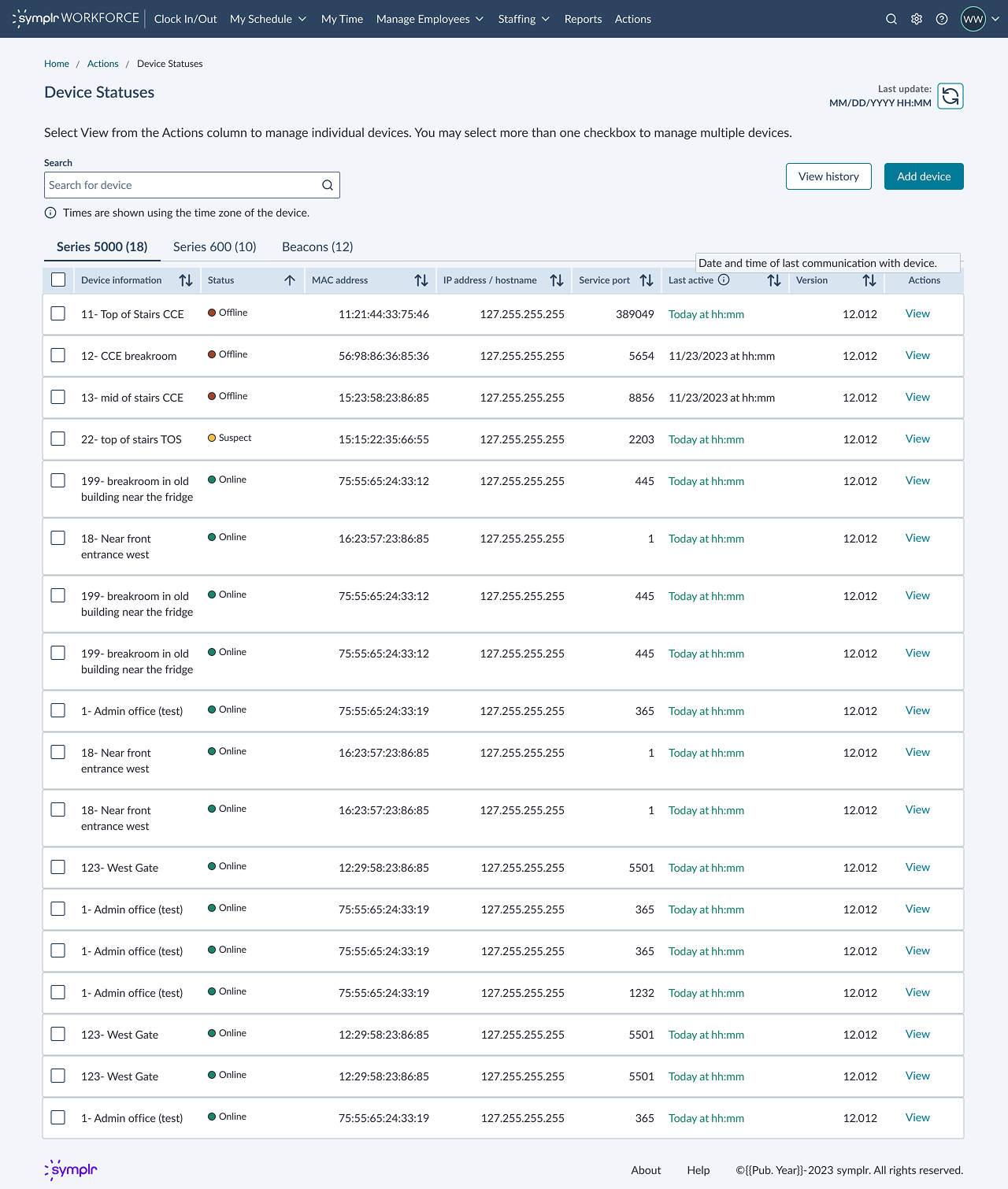
- Is knowing whether a device is online/offline enough, or should we call it “connectivity” and provide more detail?
- Are there technical constraints that prevent continuous polling of device statuses?
- Why was the status page removed in the new DUM, and should it return?
Key Insights from Research
- Participants valued device categorization, search, and the ability to update multiple devices at once.
- The new workflow aligned well with existing administrator processes.
- The design reduced opportunities for errors by supporting bulk updates.

Impact
- Validated Workflow Alignment: Research confirmed that designs mapped to real administrator processes.
- Error Reduction: Bulk update functionality gave admins efficiency and confidence.
- Stakeholder Confidence: Product leadership praised the work as exceeding expectations.
- Framework for Future: Competitive analysis and workflow documentation created a reusable foundation for similar enterprise tools.
Why This Matters
This project showcases my ability to:
- Structure clarity from chaos in ambiguous environments.
- Balance user needs with technical constraints.
- Lead research-driven design from discovery to delivery.
- Collaborate across disciplines while keeping the user at the center.
Ultimately, I don’t just design screens—I create evidence-based workflows that drive adoption, reduce errors, and make enterprise applications more intuitive.